Your styles on every device: phone, tablet and browser
By Nicolas ·
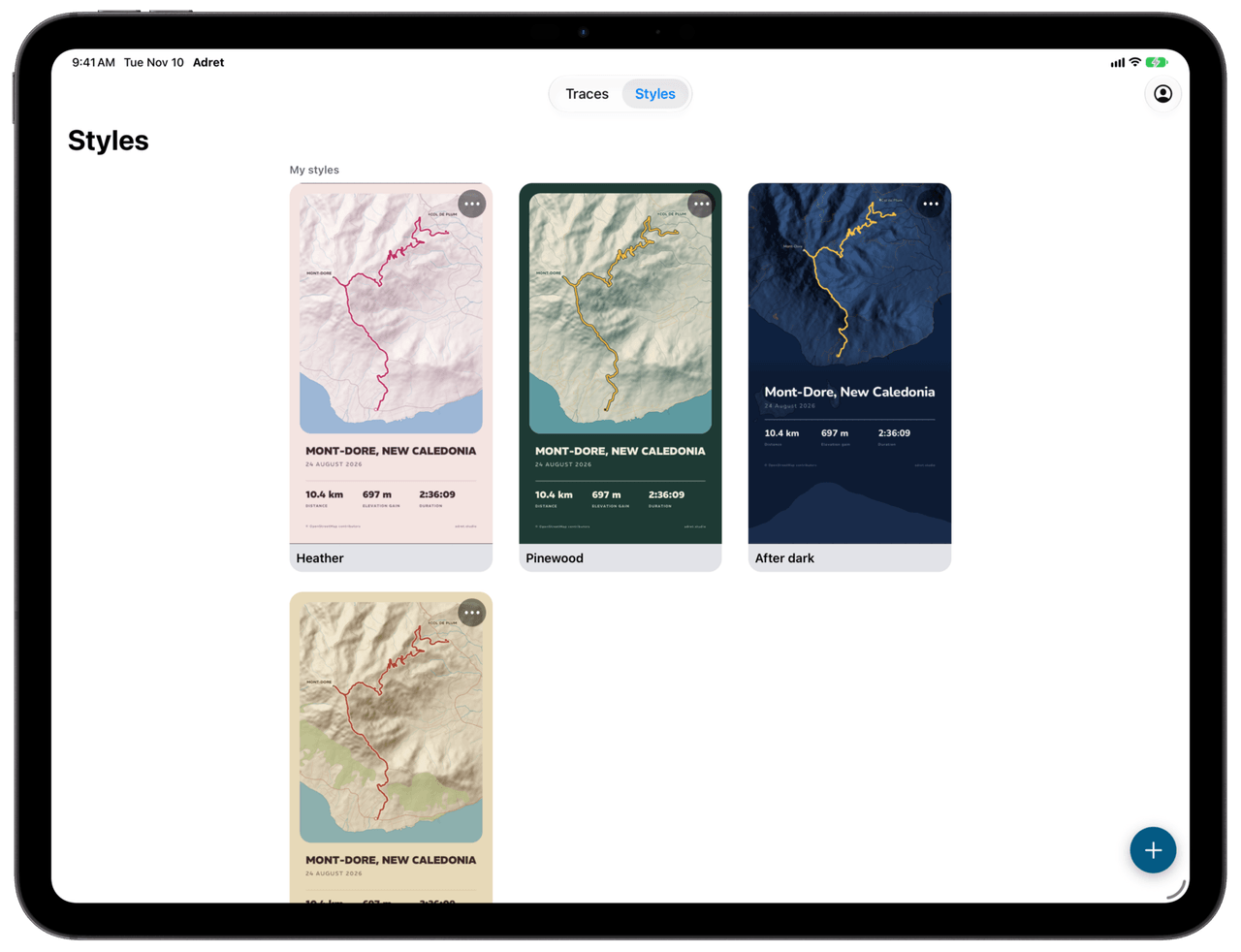
You only hunt for the right green once.
From version 1.3, with Adret Pro, your saved styles follow you to every device you sign in on: your phone, your tablet and your browser, at app.adret.studio. Save one on your phone and it is waiting on your tablet. Rename it or delete it, and it changes everywhere.
The style that never left the phone
A style is a poster’s look, kept for the next one: the layout, the map’s layers, the relief, the typeface and the colours. In the editor it is "Save as style…", and the following Sunday the poster of the new outing takes one tap.
Until now, that style lived on one phone. The FAQ said so plainly: change phones, and your styles stay on the old one. Fair enough. As long as you keep the same phone, it holds.
Then Adret arrived in the browser, on 28 October, with the same problem in a more fragile form: what you make there stays in that browser, and Safari clears it by itself after seven days without a visit. You spend an evening finding the right green, you go hiking for ten days, and when you get back the green is gone. Ouch. (The hike was worth it.)
What follows you
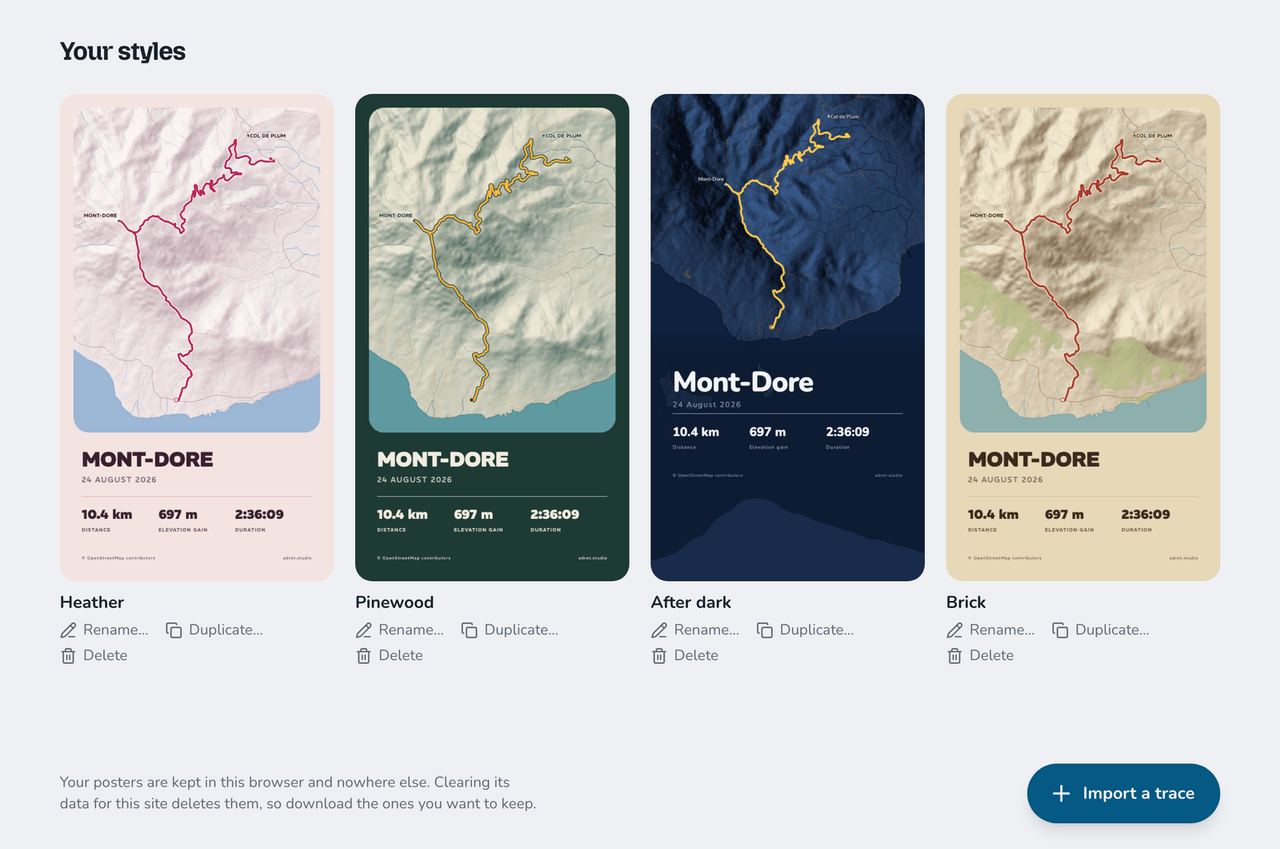
With Adret Pro and an Adret account, every style you save goes up to your account and comes back down on your other devices. And it is not much: the name you gave it and its look. The four styles you can see further down weigh about a kilobyte each. The UTMB’s GPX, by comparison, weighs 2.26 MB: more than two thousand times as much.
Your track is not part of it. Nor your title, your photo, or anything that says where your outing went: a style is a look, not a poster. On the other device it joins the rest of yours, under "My styles" in the app’s Styles tab and "Your styles" in the browser, drawn on the Mont-Dore, Adret’s sample route, in New Caledonia. That device draws it itself, with the same engine as everywhere else.
And the browser that forgot everything? Sign in again, and the green comes back down.
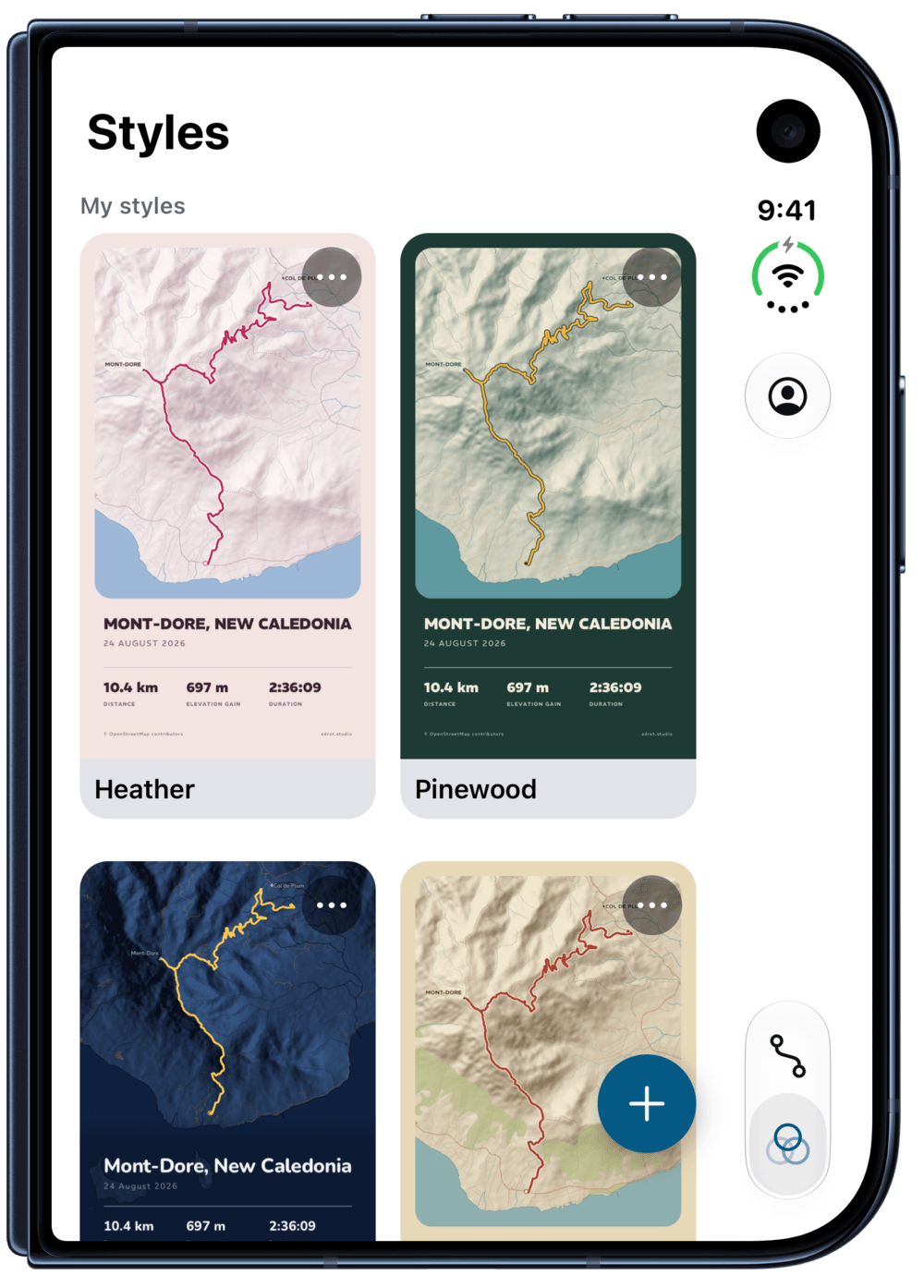
Your assistant reads them too: connected to your account, Claude or ChatGPT draws in whichever style you name.
Deleting is an edit too
Sending a style up is the easy part. The tricky part is deleting one.
What if I delete a style on my phone, on a train, with no signal, while the tablet at home still holds a copy? If the server simply forgot the style, the tablet would send it back the next time it checked in, and the deleted style would reappear on the phone as if nothing had happened.
So a delete is sent like an edit. The server keeps a marker saying the style is gone, its name and look wiped, and every device that meets the marker removes the style in turn. A delete made with no signal waits for one, then goes up like the rest.
And one rule covers everything: the latest edit wins, deletes included. Delete a style on your phone, then rename it on the tablet before the tablet has heard, and it comes back everywhere under its new name. In short, your last move is the one that counts.
To check it, I put two browsers and a phone on the same account and had them pass styles back and forth: one saved on one side arriving on the other, one renamed, one deleted, in each direction.
The rest happens by itself. An edit goes up two seconds after your last change, and the other devices’ edits arrive when Adret opens, when you sign in, and each time you come back to the app.
What you need
- Adret Pro, bought in the app.
- An Adret account, on each device. In the app: the person icon above your library, then "Sign in to Adret", with Apple, Google or a code sent by email. In the browser: with that account’s email address.
- Nothing to redo for your older styles: the ones you saved before signing in go up the first time that device signs in to an account with Adret Pro.
- Up to 200 styles per account (plenty of room).
If Adret Pro ends
Nothing you made disappears. Your styles stay on your devices, you can still see them and delete them, and the posters you already made keep their look. Nothing new goes up, that is all.
What stays put
- Your tracks and your posters, which do not move from one device to another. That is on purpose: Adret keeps no copy of your tracks, and handing them back to you everywhere would mean keeping one.
- The style used for new imports, which you choose on each phone and each tablet.
- Adret’s own styles, which are everywhere already.
In short
- With Adret Pro, from version 1.3, on iPhone, iPad and Android, and in the browser.
- Once you sign in to your Adret account, on each device.
- Save, rename, delete: it changes everywhere, and the latest edit wins.
- What follows you: the style’s name and look, nothing of your track.
- Your older styles go up the first time you sign in.
- If Adret Pro ends, you keep what you made.
So, what did you name yours?
Nicolas